QWAY Studio handbook
One project, four workspaces
Compose objects, connect spaces, direct an experience and publish the website that contains it. QWAY Studio keeps those four activities in one project.
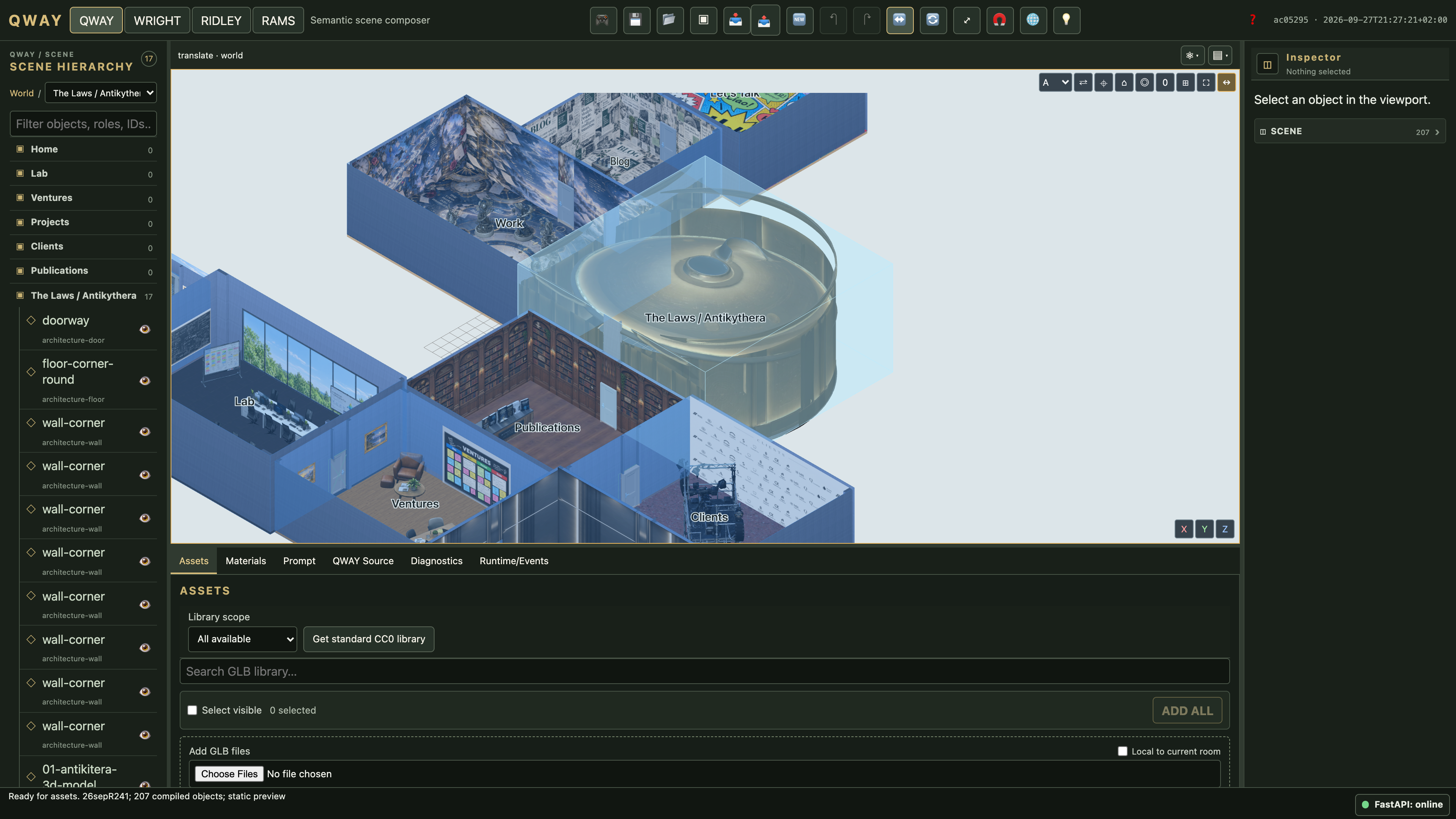
This handbook follows the real application, from your first GLB to an editable project archive and a deployed visitor site. The visual tour uses an authorized isolated copy of the open Laurelli project; technical examples use small independent fixtures you can reproduce.
Choose a path
New to Studio? Start with your first scene, then follow the tutorials. Already building? Use the interface guide, materials and save/open guide. Ready to publish? Continue through RAMS, WorldPack and release management. Installing a shared service? Read accounts and production deployment.
What this manual promises
These pages describe the repository build identified in the footer. Package version 0.1.0 and draft semantic contracts are not a promise of stable external APIs. Historical MVP plans and engineering audits are not user instructions. Generated signatures and declaration appendices come from the implementation; executable examples and browser checks guard against documentation drift.
The site works as static files without FastAPI, an API key or a search service. Search filters the navigation locally. Copy buttons need browser clipboard permission; selecting code works everywhere.